
See Tethar in action
Tethar is two paired apps — a parent app you configure from, and a child app that runs safely on their device. Below is a working model of the parent app: flip the boundaries, approve apps, see the numbers respond. Then use the studio further down to upload your own screenshots, recordings or build and demonstrate either app inside a device frame.
🟡 Left home · 8:15 AM
This is a working preview. Tap the tabs at the bottom of the phone, flip the protection switches and approve the pending app request — the dashboard reacts just like the real product.
What you're looking at
The Tethar parent app puts every setting one tap away. Here's what each area of the demo does:
Home dashboard
Screen-time ring, live protection status and quick toggles. Flip a switch and see the status counter update.
App access
See what's allowed or off‑limits, and approve a pending request to add it straight to the allowed list.
Location & geofence
A live map view with a safe-zone geofence and the timeline of arrival and departure alerts.
Always reassuring
Everything stays calm and glanceable — no alarms, just the signal you need, when you need it.
The real Tethar app, in motion
A screen recording of the actual parent app — real scrolling, real settings, the genuine product from home dashboard to configuration and reports.
Recorded from the live app. A child's name and photo are demo placeholders and the account number is blurred for privacy.
Take a tour of the real app
Tap through actual screens from the current Tethar parent app — use the arrows, the screen menu, or the app's own buttons to explore.
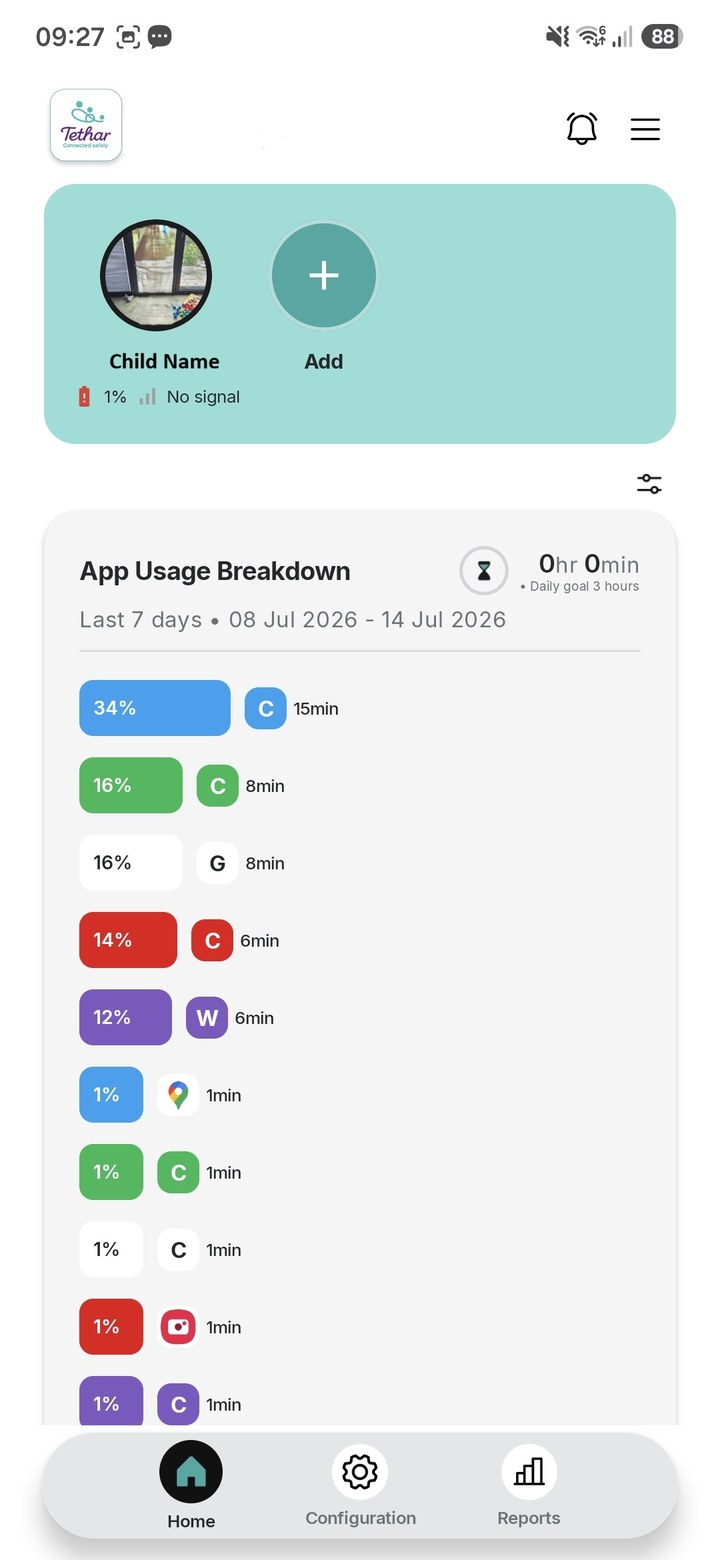
Tip: tap the app's own buttons (the bottom tabs, the config rows, the back arrow) to move around — or use the menu below.
Genuine screenshots from the current Tethar parent-app build. A child's name and photo have been replaced with demo placeholders for privacy.
Upload & demonstrate your real app
Drop in screenshots, a screen recording, or your build. Each file is displayed inside a realistic device frame so you can showcase and walk through the app's functionality — right here on the site.
Your uploaded app screens will appear here, each inside its own device frame.
Ready to protect your family?
You've seen how Tethar works — start your 30 days free and set it up tonight.